
SS IPTV External Playlist vs Internal: What's the Difference?
Two ways to hold a playlist — one lives on the TV, one lives at a web address. Picking the right one decides how much maintenance you do.
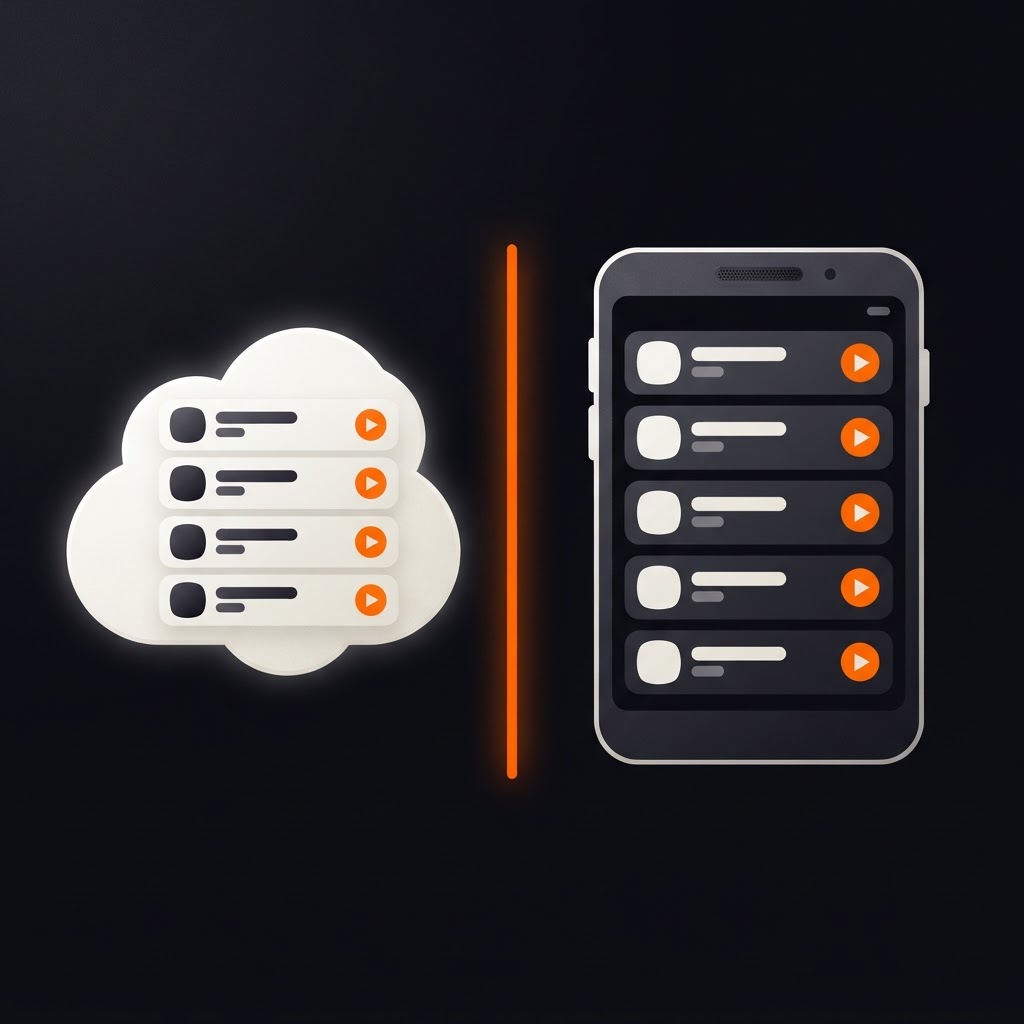
An SS IPTV external playlist loads from a web address; an internal playlist lives on the device itself. The choice affects how often you have to think about it. An external playlist lives at a web address and is fetched over the network. An internal playlist is stored on the device itself.
Neither is "better" in the abstract. They fail in different ways, they age differently, and the right pick depends on whether your provider changes its channel list.
The short version
| External playlist | Internal playlist | |
|---|---|---|
| Where it lives | A URL you enter | The TV or device storage |
| Updates | Automatic on refresh | Only when you replace it |
| Needs network to load | Yes | No, though streams still do |
| Survives a reinstall | Yes, re-enter the link | No, re-upload the file |
| Typical failure | Link expired or unreachable | Stale content, lost on reset |
| Best for | Provider-managed playlists | Personal, fixed playlists |
If you only remember one row, remember this one: an external playlist follows your provider, an internal playlist stays exactly as you saved it.
How an SS IPTV external playlist behaves
An external playlist is a reference. The app asks the URL for the current playlist whenever it needs one, which means changes at the provider arrive without any action from you.
That is the appeal. If your provider adds a channel, reorders groups or fixes a broken stream, the next refresh picks it up.
The trade-off is dependency. An external playlist is only as good as the link:
- Expiry. Some providers issue links with a lifetime, and an expired link is simply dead.
- Tokens. Many links embed a username and password. If you rotate your password, the old link stops working.
- Reachability. A link that resolves on your phone but not the TV usually points at a network or DNS issue rather than a playlist problem.
How an internal playlist behaves
An internal playlist is a file the device owns. You upload it once, and it stays. Nothing can expire, nothing depends on a URL being reachable, and the list opens instantly even on a slow connection.
The cost is that it never updates. If your provider's channel line-up changes, your television still shows the old one until you upload a new file.
Internal playlists are the right choice when:
- the playlist is personal and rarely changes
- the provider only supplies a downloadable file, not a link
- you want the channel list to load instantly on a weak connection
They are the wrong choice when your provider updates constantly, because you become the update mechanism.
Which one should you use?
Ask two questions.
Does the provider change the playlist regularly? If yes, use an external playlist. Manually re-uploading every week is a chore you will eventually stop doing.
Do you need it to work when the link is unreachable? An internal playlist still opens a channel list when the URL is down, though streams still need the internet. That is a small but real convenience during a provider outage.
A useful pattern for many households: keep the external playlist as the primary, and save the same playlist as a file you can upload if the link ever breaks.
Switching between them
Moving from external to internal is straightforward: download the current playlist from the provider as a file, then upload it through the same connection-code workflow used for links. The full procedure is in uploading a playlist.
Moving the other way means entering the provider's link where you previously uploaded a file. Expect the app to fetch it immediately and again on each refresh.
What this means for troubleshooting
The playlist type tells you where to look when something breaks.
An external playlist that shows nothing points at the link: expired, mistyped, or unreachable from the TV's network. Work through playlist not loading.
An internal playlist that shows an old line-up points at you: it is doing exactly what it was told, with data that has aged. Upload a fresh file.
In both cases, a playlist that loads but will not play is neither type's fault — that is the stream or the network, and the buffering guide is where to go next.
How the playlist type affects everything else
The choice does not only change how the list refreshes — it changes which problems you will meet.
An external playlist introduces a dependency on a URL, so the failure modes are about reachability: expired links, rotated tokens, a DNS lookup that fails on the television but works on your phone. In exchange you get a list that stays current without effort.
An internal playlist removes all of that, and introduces staleness instead. Nothing expires, nothing rotates, and nothing updates. A channel that disappears from your provider stays in your list looking perfectly normal until you select it and it fails.
Your guide follows the same logic. EPG data referenced from a link refreshes with the playlist; guide data embedded at upload time is frozen with the file. If you have ever wondered why a schedule looks a month old, this is usually why.
A hybrid worth considering
Many households settle on a working pair: the external link as the everyday playlist, and a downloaded copy of the same playlist kept on a phone or laptop.
The second one costs nothing, and it turns a bad evening into a two-minute fix if the link ever dies at the wrong moment. It is not a backup of your favourites, only of the channel list — but it is the part that is hardest to reconstruct from memory.
Choose external if your provider moves faster than your patience, internal if you want a list that never changes unless you change it. Either way, SS IPTV treats both as the same thing: your playlist, your control.
Frequently asked questions
Keep reading

What Is SS IPTV? The Complete Guide to Simple Smart IPTV
SS IPTV plays the M3U playlist you supply. Here is what the app does, what it does not do, and the three things you need before your first channel plays.
What Is an M3U Playlist? A Beginner's Guide for Smart TV Users
What an M3U file is, what is inside one, how links differ from files, and how to check that yours is valid before your TV sees it.

Is IPTV Legal? What You Need to Know Before You Stream
IPTV itself is legal. Whether your subscription is depends on licensing. A plain-language look at the distinction, and the questions to ask.